
О компании
АО «Центр открытых систем и высоких технологий» (ЦОСиВТ) основано в 1994г.
В настоящее время представляет собой группу компаний , ведущих разработку современных решений в области информационных технологий и современной электроники
Есть собственная специализация в Московском физико – техническом институте, что обеспечивает необходимую ротацию кадров высшей квалификации.
Более чем 25-летний опыт работы, солидный портфель решений и список успешных внедрений делает компанию ЦОСиВТ одним из ведущих игроков на российском ИТ-рынке в следующих направлениях:
COSOC Разработана собственная платформа ядра ситуационного (операционного) центра на решениях с открытым кодом, включенная в реестр российского программного обеспечения https://reestr.digital.gov.ru/reestr/307022/?sphrase_id=1827287
COSOC.AI Платформа для создания решений по нейросетевому анализу текстовой информации включая автоматическую маршрутизацию входящих и внутренних документов
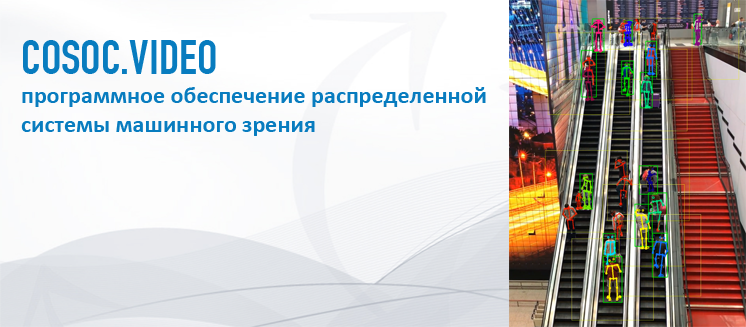
COSOC.VIDEO Разработан уникальный набор решений по построению систем видеоаналитики для использования в областях: спортивной аналитики, маркетинговых исследований, общественной безопасности.
COSOC.Pubisher Разработана уникальная платформа формирования отчетности в PDF формате на основе XML данных.
Выполненные проекты
- Техническое проектирование ситуационного центра ХК «Роснефть»
- Пилотный проект и поддержка эксплуатации комплекса программно – аппаратных средств АПК «Безопасный город Новгородской области»
- Создание системы электронного доверенного взаимодействия с контрактными организациями Оргкомитета Олимпиады Сочи-2014 на основе PDF форм и Adobe LiveCycle платформы
- Создание информационно – аналитической системы мониторинга подведомственных организаций ФАНО России
- Создание подсистемы контроля безопасности и устойчивости в составе ФГИС АСУ ТК Минтранса России
- Создание системы управления эксплуатационной документацией воздушных судов Boeing и Airbus ХК «Аэрофлот Российские Авиалинии» на основе XML FO технологии и решения RenderX XEP
- Создание ЕАС Федерального агентства по печати и массовым коммуникациям включая компоненту обработки входящих документов на основе искусственного интеллекта
- Создание системы отчетности в PDF формате по портфелям клиентов ФК "Алемар" на основе XML FO технологии и решения RenderX XEP
- Разработка и внедрение АИС МФЦ в более чем 10 регионах Российской Федерации
- Создание системы мониторинга рыболовных экспедиций Vals International Holding
- Создание системы управления вузом Универститета им.Витте, РУФКСИТ, Академии им.Плеханова
Публикации
Event-Driven Platform for Machine Vision Component Integration with Operation Center
E. Tsybulko, K. Zhigunov, A. Khelvas, A. Bugaev, T. Afanasenko and S. Gadzhimirzaev,
Proceedings of the 3rd International Conference on Innovative Research in Applied Science, Engineering and Technology (IRASET), Mohammedia, Morocco, 2023, pp. 1-6,
doi: 10.1109/IRASET57153.2023.10152991.
Практическое применение языка Alloy для распознавания тактических ситуаций
Хельвас A.B., Галицкий A.С
Труды МФТИ 2018 т.10 №4 (40) стр.87-97
Программная платформа и информационная модель ситуационного центра
Щербаков С.С., Кузнецова А.А., Беспалько А.А., Галицкий А.С., Хельвас А.В.
Труды МФТИ 2018 т.10 №4(40) стр.98-109
Event-driven solution for operation center on the base of Common Alerting Protocol
Konstantin Zhigunov, Evgeniya Tsybulko, Alexander Khelvas
Improved 2D Human Pose Tracking Using Optical Flow Analysis
in book Advances in Intelligent Systems and Computing, series AISC, Springer, v. 1100, pp. 10-22